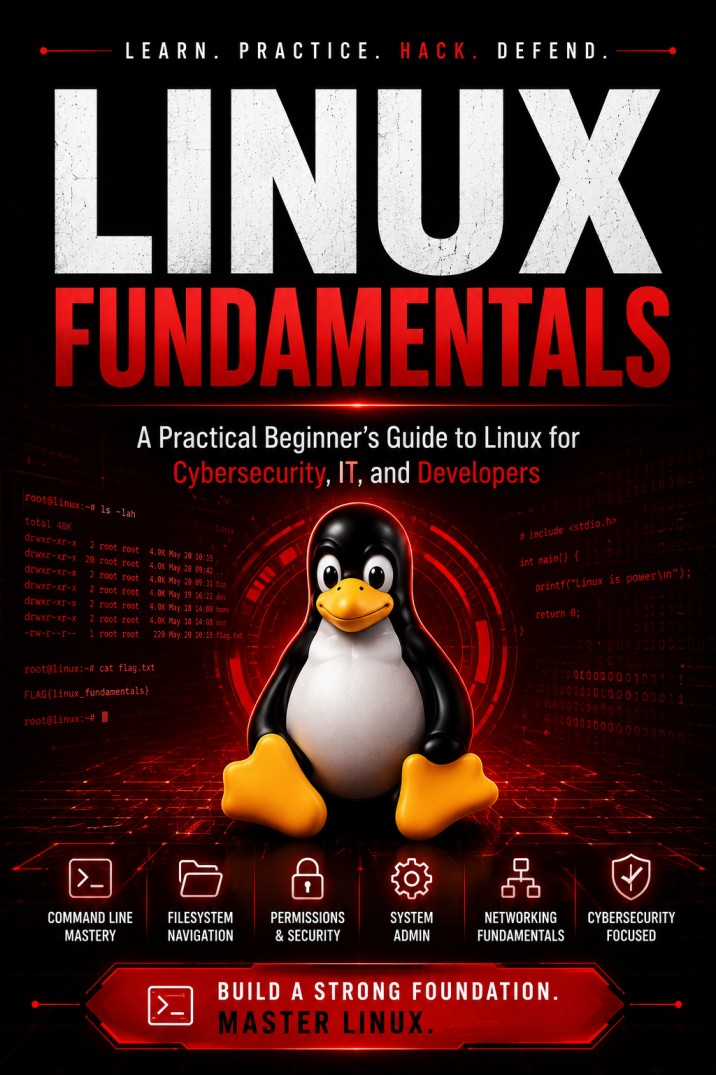
Linux Fundamentals: Beginner’s Guide for Cybersecurity
$ 0.00
Master the Linux command line from absolute zero. Linux Fundamentals is a 53-page practical guide covering 20 chapters, 5 hands-on labs, and 150+ essential commands — built for cybersecurity learners, SOC analysts, ethical hackers, sysadmins, and developers who need real skills, not theory.
Description
Learn Linux the way professionals actually use it
Most Linux guides fail beginners in one of two ways. They bury you in theory you’ll never apply, or they dump a wall of commands with no explanation of why you’re typing them.
Linux Fundamentals does neither.
Every chapter follows the same proven rhythm: understand the concept in plain English, see it demonstrated with real examples, run it yourself, then prove you learned it with a practical exercise. By the final page you won’t just recognise Linux commands — you’ll sit down at an unfamiliar terminal, orient yourself, and get work done.
What you’ll learn
This beginner Linux guide covers the complete foundation in 20 structured chapters:
- Linux essentials — what the kernel actually is, how distributions differ, and how to install Ubuntu or Kali in a virtual machine
- The Linux file system — navigate
/etc,/var,/proc, and/homewith confidence usingpwd,ls,cd, andfind - File permissions — read
rwxnotation, applychmodandchowncorrectly, and understand why777is a security risk - Users and groups — account management,
sudo, and the/etc/passwdand/etc/shadowdatabases - Process management —
ps,top,htop, signals, and job control - Package management —
apt,dnf, andpacmanacross Debian, Red Hat, and Arch systems - Networking basics —
ip,ping,ss,dig, andcurl, plus layer-by-layer troubleshooting - Bash shell and scripting — variables, pipes, redirection, loops, functions, and complete working scripts
- Linux security — SSH key authentication, firewall configuration, patching, and system hardening
- Linux for cybersecurity — Kali Linux, SOC log analysis, incident response triage, and digital forensics basics
Built for hands-on learning
- ✅ 20 complete chapters with learning objectives, examples, and key takeaways
- ✅ 5 capstone labs covering users, permissions, networking, services, and scripting
- ✅ 150+ commands with syntax, purpose, and real-world usage
- ✅ ASCII diagrams illustrating the filesystem hierarchy, process tree, and troubleshooting flows
- ✅ Complete command cheat sheet you’ll keep open beside your terminal
- ✅ Clickable table of contents and bookmarked navigation for instant reference
Who this guide is for
| You are | What you’ll gain |
|---|---|
| An absolute beginner | A calm, structured first contact with Linux |
| A student | Exam-ready fundamentals with practical labs |
| A cybersecurity learner | The command-line base every security tool assumes |
| A SOC analyst | Log analysis, process inspection, and triage skills |
| An ethical hacker | Fluency in the operating system your tooling runs on |
| A system administrator | Users, services, storage, and troubleshooting |
| A developer | A productive, scriptable working environment |
Why Linux fundamentals matter for a security career
Every privilege-escalation technique you’ll ever run is built on these basics. SUID bits are just permissions. Cron persistence is just scheduling. A vulnerable service is just systemd doing what it was told.
Skip the foundation and you memorise exploits. Learn it properly and you find them.
Format: PDF · 53 pages · instant download
Check Our More Linux Collections:
📚 The Pentester’s Linux Library (full bundle)
https://resources.codelivly.com/product/the-pentesters-linux-library-playbook-advanced-privesc/
📘 RootCraft — Red & Blue Edition
https://resources.codelivly.com/product/rootcraft-the-ultimate-linux-privilege-escalation-playbook-red-blue-edition/
📕 Linux Playbook for Hackers
https://resources.codelivly.com/product/linux-playbook-for-hackers/
📗 Linux Playbook for Hackers — Advanced Edition
https://resources.codelivly.com/product/linux-playbook-for-hackers-advanced-edition/
FAQ section
Do I need any prior Linux experience? None. This guide starts from zero and explains every concept before showing a single command.
Which Linux distribution should I use with this guide? Ubuntu is recommended for beginners, and Chapter 2 walks through installing it in VirtualBox or VMware. All commands include Fedora (dnf) and Arch (pacman) alternatives where they differ.
Is this useful for cybersecurity and ethical hacking? Yes. Chapter 17 covers Kali Linux, SOC log analysis, incident-response triage, and digital forensics — and the security chapters teach SSH hardening, firewalls, and least privilege.
Do I need to install Linux on my main computer? No. The guide teaches you to run Linux safely in a virtual machine so nothing on your existing system is touched.
What format is the download? A bookmarked PDF with a clickable table of contents, readable on desktop, tablet, and mobile.
Related products
-
Hacker Roadmap: Hack Everything & Own the Web
Hacker Roadmap — A beginner-to-pro, hands-on guide to ethical hacking and career growth. Learn foundations (OS,…
$ 0.00 Grab Yours -
Linux CMD Cheatsheet – Quick, Practical, and Essential
Master the Linux command line with this compact cheat sheet — 60+ essential commands with examples…
$ 0.00 Grab Yours -
Web Hacking Essentials: XSS & SQLi Pocket Guide
Web Hacking Essentials: XSS & SQLi Pocket Guide is your concise, action-oriented resource for mastering two of…
$ 0.00 Grab Yours

Reviews
There are no reviews yet.